Introduction
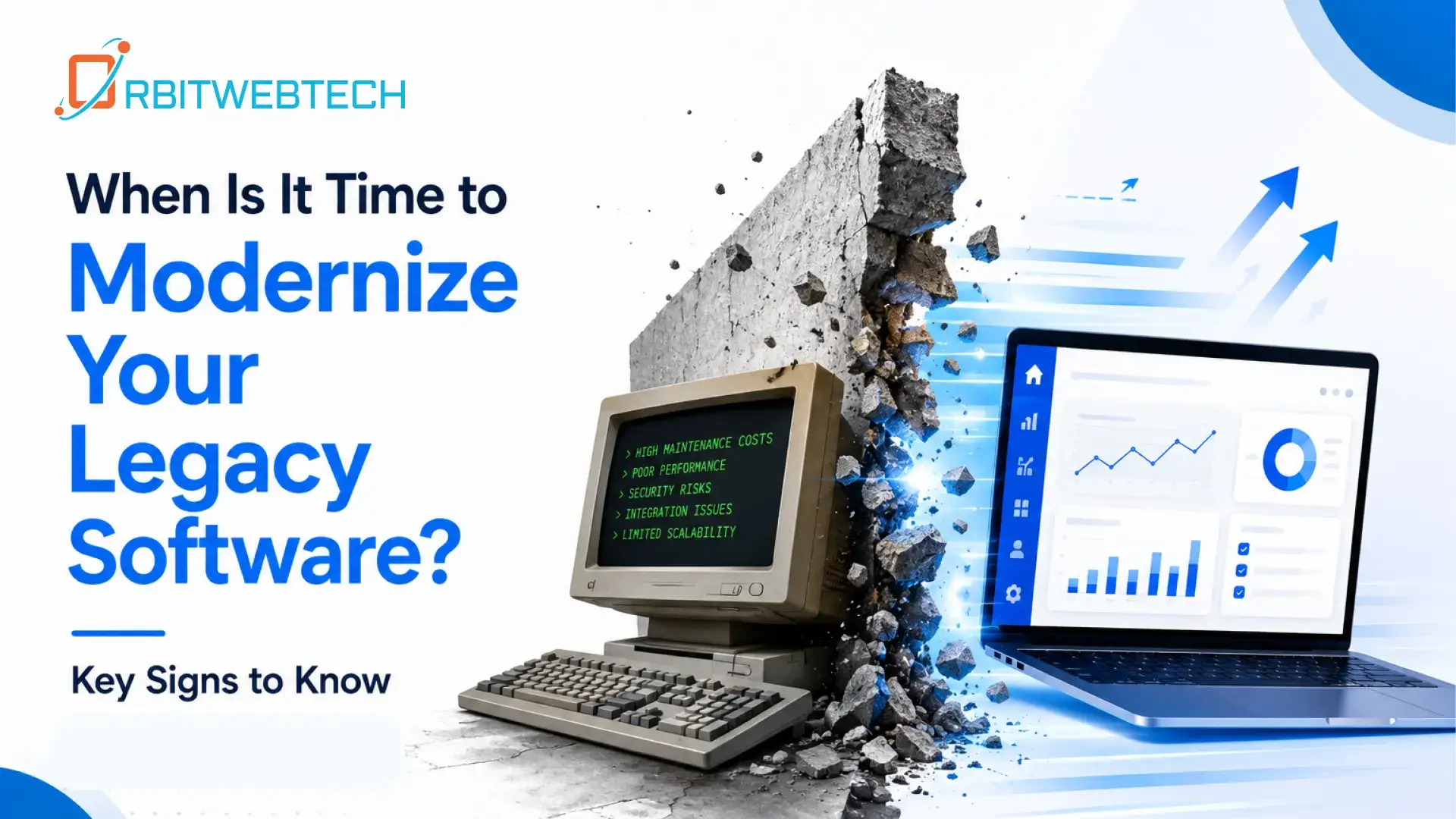
Legacy software can remain useful for years, but that does not mean it should remain unchanged. As a business grows, older systems can become harder to maintain, slower to update, and more difficult to connect with newer tools.
The challenge is knowing when to modernize legacy software and when continuing with the existing system still makes financial and operational sense.
Software modernization is not always about replacing an entire application. In many cases, businesses can improve an existing system gradually through application modernization, technology upgrades, better integrations, or a redesigned architecture.
This guide explains the key signs that your business may be ready for legacy software modernization and what to consider before starting the process.
What Is Legacy Software Modernization?
Legacy software modernization is the process of improving an older application so it can support current business requirements, technologies, security standards, and user expectations.
Modernization can involve:
- Updating outdated programming languages or frameworks
- Improving application performance
- Moving systems to a modern cloud environment
- Rebuilding parts of an application
- Connecting older software with modern applications through APIs
- Improving databases and data integration
- Updating the user interface
- Strengthening security
- Replacing unsupported third-party dependencies
- Developing new modules around an existing system
The right approach depends on the age, architecture, business value, and technical condition of the software.
For some companies, a complete rebuild is unnecessary. A targeted modernization project may solve the most important problems while protecting the investment already made in the existing application.
7 Signs It Is Time to Modernize Your Legacy Software
1. Your Software Is Becoming Difficult to Maintain
One of the clearest signs is the increasing amount of effort required to maintain the application.
If developers spend most of their time fixing old code instead of improving the product, the existing architecture may be holding the business back.
Common warning signs include:
- Frequent bugs
- Difficult-to-understand code
- Poor documentation
- Complicated deployments
- Outdated frameworks
- Manual fixes for routine problems
- A lack of developers familiar with the technology
Maintenance costs can gradually become higher than the value the application provides.
Modernizing the underlying architecture can make future development easier and reduce the amount of time spent dealing with technical problems.
2. Performance Problems Are Affecting Daily Operations
Slow software is more than a technical inconvenience. It can directly affect employees, customers, and business processes.
You may need modernization when:
- Pages take too long to load
- Reports take hours to generate
- The application slows down with more users
- Database queries are becoming inefficient
- The system frequently crashes
- Employees have created manual workarounds
If performance problems are caused by an outdated architecture rather than a simple configuration issue, application modernization may provide a longer-term solution.
A modernization assessment can help identify whether the problem is related to the application code, database, infrastructure, integrations, or overall system design.
3. Your Software Cannot Integrate With Modern Tools
Businesses rarely operate with one application anymore. CRM platforms, payment systems, analytics tools, communication platforms, accounting software, AI applications, and other business systems often need to exchange information.
Older software may not have the APIs or architecture needed to connect easily with these systems.
For example, a business might need to connect its existing application with:
- A modern CRM
- Payment gateways
- Cloud services
- Business intelligence platforms
- Customer support tools
- AI-powered applications
- Mobile applications
If your legacy system requires manual data entry because it cannot communicate with newer platforms, modernization should be considered.
4. Security Risks Are Increasing
Older applications can become difficult to secure when their operating systems, frameworks, libraries, or dependencies are no longer supported.
Security concerns may include:
- Unsupported software versions
- Outdated libraries
- Weak authentication methods
- Poor access controls
- Unpatched vulnerabilities
- Insecure APIs
- Old database technologies
Security should be treated as a business requirement, not simply a technical issue.
If your development team can no longer reliably patch or secure important components of the application, it may be time to modernize the system.
5. Your Business Has Outgrown the Existing Application
A system that worked well for a small business may not work as effectively after years of growth.
Your company may now have:
- More customers
- More employees
- More locations
- More transactions
- Larger databases
- New product lines
- More complex workflows
If the software was not designed to scale with these changes, performance and usability problems can appear.
This is particularly important when business teams start creating spreadsheets, manual processes, or separate applications to compensate for limitations in the main system.
Instead of continuing to build temporary workarounds, it may be better to review the application’s architecture and determine what needs to change.
6. Adding New Features Takes Too Long
Modern businesses need to respond to changing customer expectations and market conditions.
If adding a relatively simple feature requires weeks or months of development because the existing codebase is difficult to work with, your technology may be limiting business growth.
For example, a company may want to introduce:
- A customer portal
- Mobile access
- Automated notifications
- Online payments
- Advanced reporting
- New integrations
- AI-assisted workflows
But if every new feature requires major changes to unrelated parts of the application, the system may have accumulated significant technical debt.
Modern software architecture can make future development more predictable and manageable.
7. Employees and Customers Are Frustrated With the Software
Technical problems are not always visible in system logs. Sometimes the strongest warning sign is the people using the application every day.
Employees may complain that the software is:
- Confusing
- Slow
- Difficult to navigate
- Repetitive
- Unreliable
- Missing important features
Customers may experience similar problems through outdated portals, slow interfaces, or limited digital services.
A modernization project should therefore consider both the technical architecture and the user experience.
Improving the front end can make an existing application easier to use without necessarily replacing the entire back end.
Legacy Software Modernization vs. Complete Replacement
Modernization does not automatically mean starting from zero.
There are several approaches businesses can consider.
Rehost
The existing application is moved to a newer infrastructure environment with minimal changes.
This can be useful when the main problem is infrastructure rather than application architecture.
Refactor
The existing code is improved without completely changing what the application does.
Refactoring can make the software easier to maintain and prepare it for future development.
Replatform
The application is moved to a newer technology platform while keeping much of its existing functionality.
This can be appropriate when the current platform has become outdated, but the application itself still provides important business value.
Rebuild
Important parts of the application are developed again using modern technologies.
This approach can make sense when the existing architecture is too difficult to maintain or extend.
Replace
The legacy application is replaced with a new solution.
Replacement may be appropriate when the old system no longer provides enough business value or cannot reasonably support future requirements.
The best choice depends on the application’s condition rather than simply its age.
How to Decide If Modernization Is Worth the Investment
Before starting a modernization project, look beyond the immediate development cost.
Consider the total cost of keeping the existing system, including:
- Developer maintenance
- Infrastructure expenses
- Security updates
- Downtime
- Manual processes
- Integration limitations
- Employee productivity
- Lost business opportunities
- Difficulty hiring developers for outdated technologies
Then compare these costs with the expected benefits of modernization.
A simple question can help:
- Is the cost of maintaining the current system becoming greater than the cost and business value of improving it?
- If the answer is consistently yes, modernization deserves serious consideration.
How to Modernize Legacy Software Without Disrupting the Business
Replacing an important business system overnight can create unnecessary risk.
A staged approach is often more practical.
Start With a Technical Assessment
Review the current architecture, codebase, database, infrastructure, integrations, security, and performance.
The goal is to identify what actually needs to change.
Prioritize Business-Critical Problems
Do not modernize everything simply because it is old.
Identify the areas causing the greatest business impact and address those first.
Protect Important Data
Data migration needs careful planning.
Before moving or restructuring data, identify:
- What data must be retained
- Which data is duplicated
- Which records need cleaning
- How data will be migrated
- How the new system will access historical information
Modernize in Stages
A phased approach can reduce operational risk.
For example:
- Assess the existing system
- Identify the highest-risk components
- Modernize one application or module
- Test it with real workflows
- Connect it with the existing system
- Monitor performance
- Continue with the next component
This approach allows the business to keep important operations running while modernization progresses.
What Are the Benefits of Software Modernization?
A well-planned modernization project can provide practical improvements such as:
- Better Performance
Modern architecture and optimized code can help applications handle users, transactions, and data more efficiently.
- Easier Maintenance
Cleaner code and supported technologies make future development easier.
- Improved Security
Updating unsupported components and strengthening application architecture can reduce avoidable security risks.
- Better Integrations
Modern APIs and application architecture make it easier to connect with other business systems.
- Improved User Experience
A modern interface can reduce unnecessary steps and make software easier for employees and customers to use.
- Easier Future Development
Modernizing the foundation of an application can make future features less expensive and easier to implement.
Common Mistakes to Avoid During Legacy Software Modernization
Modernization can fail when the project focuses only on technology.
Avoid these common mistakes:
- Rebuilding Everything Without a Clear Reason
Not every component needs to be replaced. Keep what still works and focus resources on areas that create genuine problems.
- Ignoring Business Users
Developers understand the technical system, but employees understand how it is actually used.
Their feedback should be part of modernization planning.
- Moving Old Problems Into a New System
A new technology stack will not automatically fix inefficient business processes.
Review workflows before rebuilding them.
- Underestimating Data Migration
Data migration can be one of the most difficult parts of modernization. It requires planning, validation, testing, and backups.
Focusing Only on the Initial Development Cost
A cheaper short-term solution may create higher maintenance and operational costs later.
Look at the long-term cost of ownership.
Questions to Ask Before Modernizing Legacy Software
Before committing to a modernization project, ask:
- What problems is the current software causing?
- Which parts of the system are business-critical?
- How much does the current system cost to maintain?
- Can the existing application scale with business growth?
- Which technologies or dependencies are no longer supported?
- What integrations are currently missing?
- How will existing data be protected?
- Can modernization happen in phases?
- What should be modernized first?
- How will success be measured?
Clear answers to these questions can help create a realistic modernization roadmap.
When Should You Modernize Your Legacy Software?
There is no universal age at which software becomes legacy software.
A ten-year-old application may still be reliable and cost-effective, while a much newer system may already be difficult to maintain.
The more useful question is whether your software continues to support the way your business operates today.
If your application is becoming expensive to maintain, difficult to integrate, slow, insecure, or restrictive, it may be time to modernize your legacy software.
A practical modernization strategy does not require throwing away everything that already works. It focuses on improving the parts that are creating technical and business problems while creating a stronger foundation for future development.
Ready to Assess Your Legacy Software?
If your existing application is becoming difficult to maintain or extend, the first step is understanding what needs to change.
Orbit Web Tech can help businesses evaluate existing software, identify technical limitations, plan modernization work, and develop or improve applications around current business requirements.